Why AI for Screenwriters Should Run on Your Own Machine
The reader you did not invite
Picture the room where your script gets read for the first time. You chose who is in it. A friend, a writing partner, a reader you trust with the messy draft.
Now picture an assistant that reads every page as you type it, and sends each one to a company you have never met, on servers you cannot see, under terms that change when the company needs them to.
That is what most AI writing tools are. The suggestion arrives in your editor. The pages leave.
For most kinds of software this is an acceptable trade. For a screenplay it is not. A script is unproduced by definition. It is worth something precisely because nobody has seen it yet. The idea, the twist, the voice: these are the whole asset, and they are exactly what a hosted model gets to read.
Three things that go wrong
Training. The plainest risk. Text sent to a hosted model can become training data unless the terms say otherwise, and the terms are not yours to set. Your dialogue teaches a model to write dialogue like yours. Nobody asks.
Retention. Even when a provider promises not to train, it usually keeps the text for a while. Thirty days for abuse review is common. Thirty days is a long time for a draft that is out to a producer under an NDA.
Dependence. A hosted assistant is a subscription to a service that can change its models, its prices, or its mind. The tool you built a habit around can disappear between drafts. So can the fee you were paying for it.
None of these are reasons to avoid AI. They are reasons to be careful about where it runs.
The alternative is closer than it sounds
The model can run on the machine in front of you.
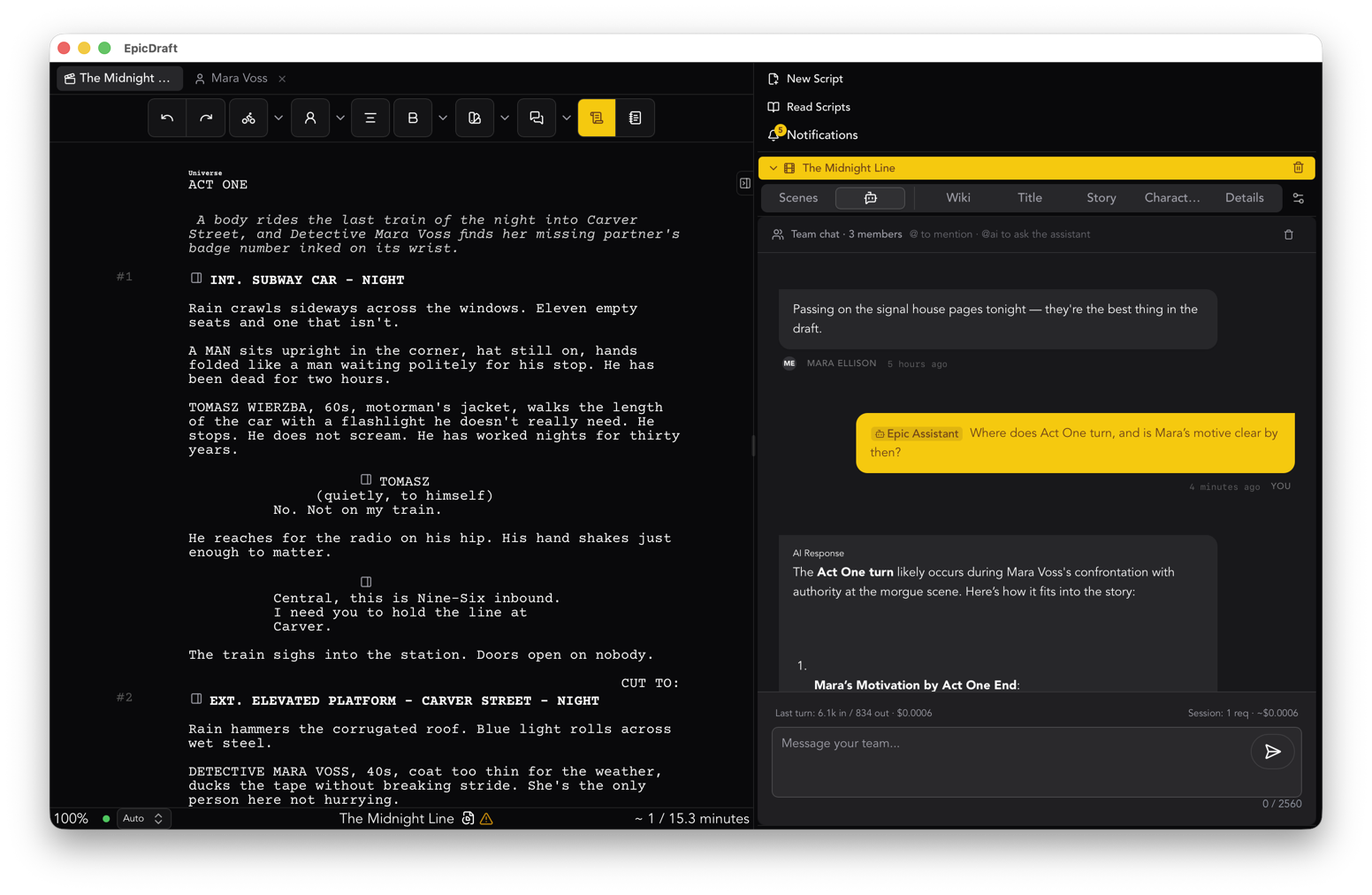
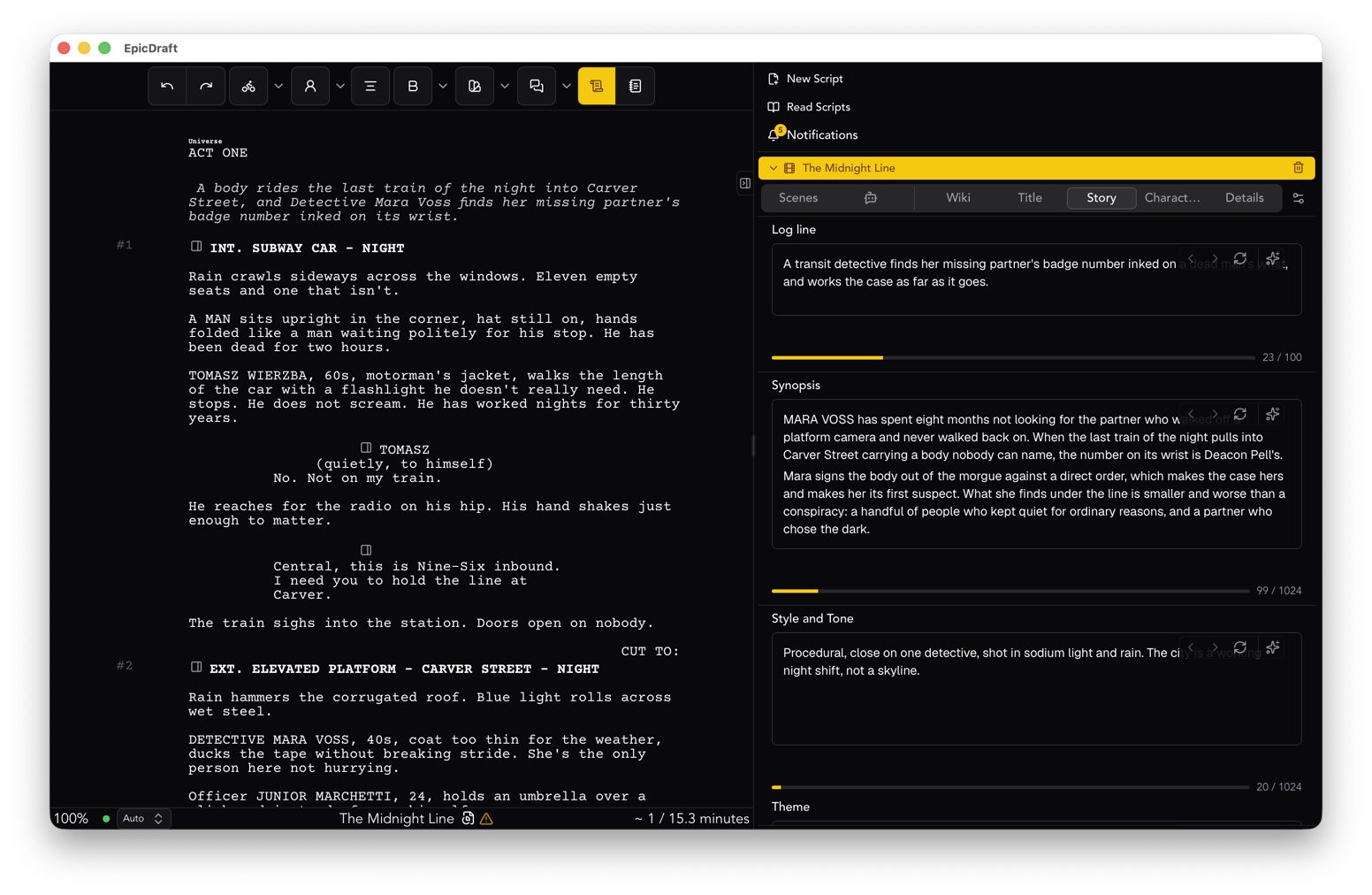
This was not practical a few years ago. It is now. Models small enough to run on a laptop, and on a recent phone, are good at the jobs a screenwriter actually asks of them. Read this scene and tell me what is missing. Keep this character consistent. Draft a synopsis I can edit. Find every place I forgot the time of day. Those are reading and rewriting jobs, and a local model handles them.
When the model is local, the three problems above stop being problems. Nothing is sent, so nothing is trained on. Nothing is retained, because nothing left. Nothing can be discontinued, because the model is a file on your disk.
It also works on a plane, in a cabin, and on a set with no signal.
How EpicDraft does it
EpicDraft's assistant is a Pro feature, and it is off until you switch it on. When you do, the default is a model that runs on your own hardware.
- On-device models, downloaded in the app. Open Settings, then AI, and pick a model family and size. The app tells you whether it fits in this device's memory before it downloads anything. Models load on first use.
- Ollama and other local servers. If you already run Ollama, point EpicDraft at it and use the models you have.
- Your devices share. A desktop with a model can lend it to your phone or laptop over your own network. Turn sharing on where the model lives, and it shows up on the other device as a provider. No third party is involved.
- Your own key, if you want a cloud model. You can bring an API key for OpenAI, Anthropic, Google, or xAI. Your text then goes straight from your device to that provider. It never passes through EpicDraft's servers, and we never see the key.
Whatever you choose, EpicDraft does not train on your writing. Not on the free plan, not on Pro, not ever. That is a promise we can keep cheaply, because in the default setup your pages never reach us.
What the assistant is allowed to do
An assistant that can edit your script needs a leash, and the leash should be yours.
EpicDraft's default is to ask before anything destructive. Additions go through. Overwrites and deletions stop and wait. You can tighten that to ask for every change, or loosen it to work unattended. A journal records every change the assistant made so it can be undone, and with checkpoints on, the app snapshots the project before a destructive tool runs. A rollback survives a reload.
You can also stop everything at once. Press ⌘. on a Mac or Ctrl+. elsewhere, and every running AI feature halts.
Usage and estimated cost are logged, and the log stays on your device.
What it is for
Nothing here writes your script. That was never the pitch.
The assistant is for the work around the writing. Research a period. Check that a character who left in scene twelve did not speak in scene fourteen. Pull a logline out of a draft. Produce a coverage report you can argue with. Rewrite a paragraph in place, then show the change and wait for you to accept it.
Read the AI setup guide for the details, or download EpicDraft and write with the assistant switched off. It is free to write, export and print. The assistant is there when you want it, on your machine, reading only what you show it.