Table Reads With a Voice for Every Character: For a Stage, a Room or a Train
Why you read it aloud
A script reads differently when it is spoken. A speech that looked elegant on the page runs out of breath. Two characters who seemed different turn out to talk the same way. A joke lands a line too late, and you only notice when you hear the silence where the laugh should be.
The usual cure is a table read: people around a table, each taking a part. It is also the hardest thing to arrange. You need the people, the room and the time, and by then the script is meant to be done.
A table read in the app does not replace that day. It gets you ready for it.
Start anywhere in the script
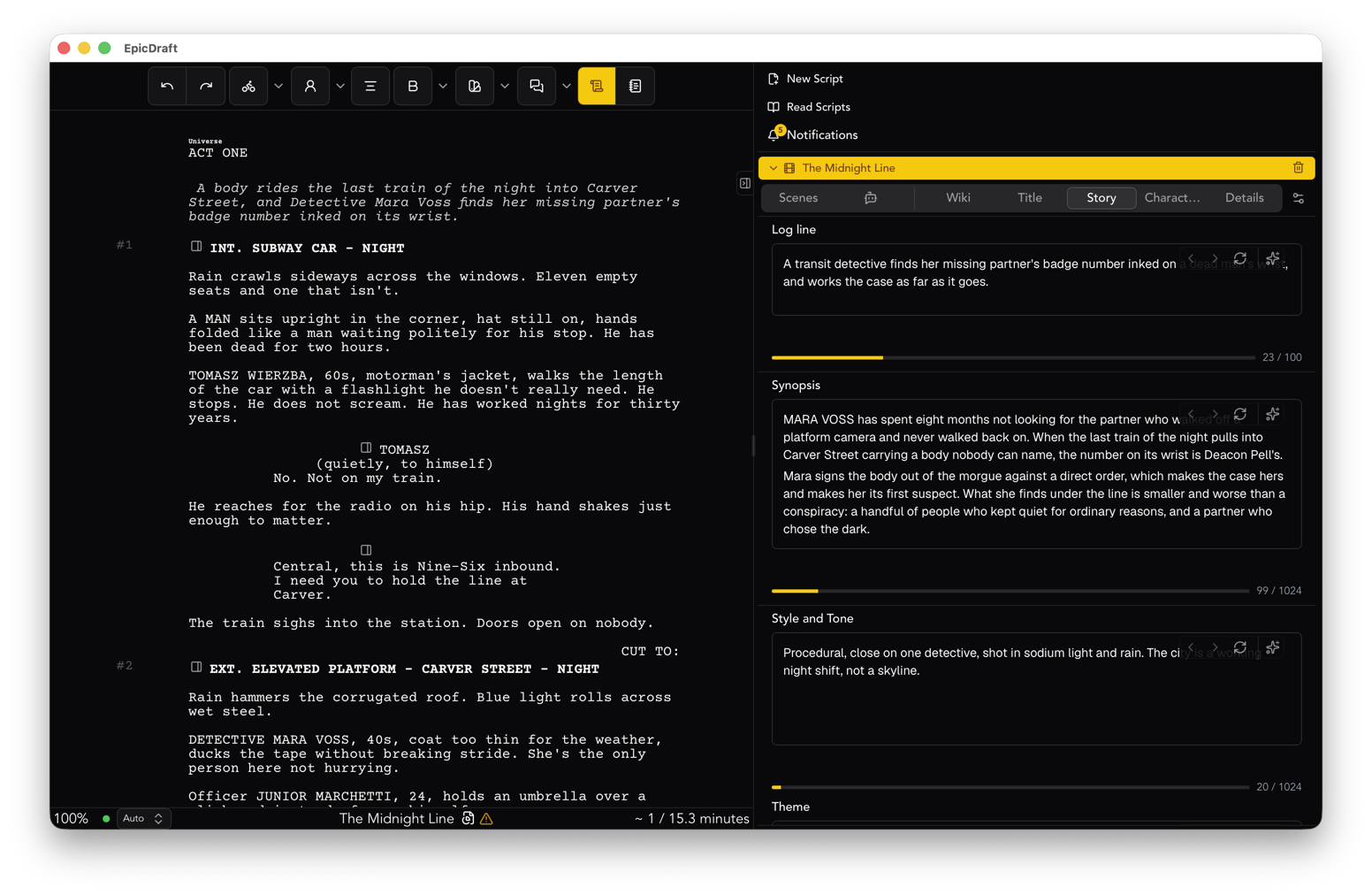
Put the cursor where you want to begin and choose Table Read from the View menu. On a phone or tablet, it is in the View group of the drawer. A bar appears with previous, play and next, who is speaking, and the line number.
Each character is spoken in their own voice. A narrator reads the scene headings and the action. Character cues, notes and page breaks are not read, so what you hear is what an audience would.
You can pause and carry on, or step a line at a time. The read covers the script as it was when you pressed play, so if you change something, start it again.
The voices
By default, voices come from your own device. They run there and start at once, and nothing in your script is sent anywhere. The Cast list shows every role with a voice you can change, and your choices are remembered for the project on that device. You can also save them on each character's page, so collaborators hear the same cast.
If you prefer, you can choose a voice service with your own key. Then every line is sent to that provider, and the bar says so while it plays. It is a choice you make, and it is never the default.
None of this needs a Pro purchase. Table reads are Free on every platform.
For a stage
Playwrights have always had the table read as part of the job. The stage format keeps the cues centred and the dialogue full width, and the craft checks flag camera language and screen transitions that a stage does not use.
The read itself treats stage directions as action. The narrator reads them, and the voices do the rest. Then you can listen for what a theatre cares about: whether the entrances are clear, whether a scene change is explained, and whether anyone has been on stage alone for too long without a reason.
For a room
With a few people in the same room, hand out the parts. Next to each role in the Cast list is a person button. Turn it on and the voices read everyone else. When the read reaches that person's line, it stops and waits. The bar shows that it is waiting, and someone presses Next when they have finished.
The teleprompter makes this easier. Open it from the View menu and the read fills the screen in large type, with the current line in the middle. Lines assigned to people are picked out. When the read reaches one, it shows "Your line" and a Continue button. You can make the text smaller or larger, and Space plays, pauses and continues.
Put one device on the table, or put the teleprompter on a larger screen. The actors read their own parts and the voices fill in the cast who could not come.
For a train
A phone is enough. Turn the device sideways and the teleprompter fits more of the script on screen. Put in headphones, start the read from the page you worry about most, and listen for the places where you stop paying attention. Those are the places the audience will stop too.
This is the least ceremonious way to use it, and probably the most useful. A script you have heard once, on your own, is a script you have already fixed in your head by the time you meet the cast.
Reading with people who are not in the room
Some readers are far away. Live table reads let actors on other devices read with you, on camera, and record it. Hosting one is Pro and it is in Labs. Joining is free, so the people you invite do not need to buy anything.
Everyone picks the parts they read, and the voices cover the rest. Each device records its own camera and microphone, so each take is the actor's own sound. Takes are kept in the project and travel between devices without being uploaded to EpicDraft.
If you do not need that, you do not have to turn it on. The solo and in-room reads above work without it.
What it will not tell you
A voice reading a line is not an actor. It will not find the pause or the turn in a line, and it will say a name wrong if the name is unusual. Treat it as a cold reading by someone who has never met the cast, and you will use it well.
What it tells you is where the words get in the way. That is worth knowing before you ask a room of people to give you their afternoon.
Where to start
Open the script you are least sure of. Start the table read from the middle of act two. Listen to ten minutes, and mark the three places you flinched.
For the full path from the first scene to a clean print, see the playwrights page. The controls are in the table reads guide.