Accounts and Subscription
EpicDraft works without an account — your scripts are saved locally on your device. An account and a Pro subscription add the connected and AI features on top.
What's free
The core app is free, with no account required:
- The full screenwriting editor, with every element type and formatting tool.
- Unlimited scripts.
- Import and export in every supported format.
- Every platform — web, Windows, macOS, Linux, iOS, and Android.
Writing, formatting, importing, exporting, and printing are always available, with or without an account.
What Pro adds
A Pro subscription unlocks:
- AI features — chat, suggestions, commands, magic inputs, and image generation.
- Device sync and cloud sync — your scripts on all your devices.
- Real-time collaboration and team chat.
- Reader links and coverage.
- File encryption — password-protect a script (Security).
- File History — on-device version history.
- The project graph.
Several Pro features are entirely local: File History, the project graph, file encryption, and image generation run on your device and don't depend on any server.
The 14-day AI trial
Every new account gets two weeks of every AI feature, no subscription required. The trial unlocks AI only — sync, collaboration, and the other Pro features still need a subscription.
Creating an account
Choose Sign In / Register from the side navigation, or Sign In / Register from the User menu. You can create an account with your email and a password, or sign in with Apple or Google. Once signed in, the side navigation shows your account, and Settings → Account shows your profile and plan.
Subscribing
Where you buy depends on which app you're in:
- Web and desktop (Windows, Linux, and the macOS download) — purchases go through Stripe.
- iOS, Android, and Mac App Store apps — subscriptions are in-app purchases through the store, with quarter, annual, and lifetime plans and a Restore Previous Purchases button.
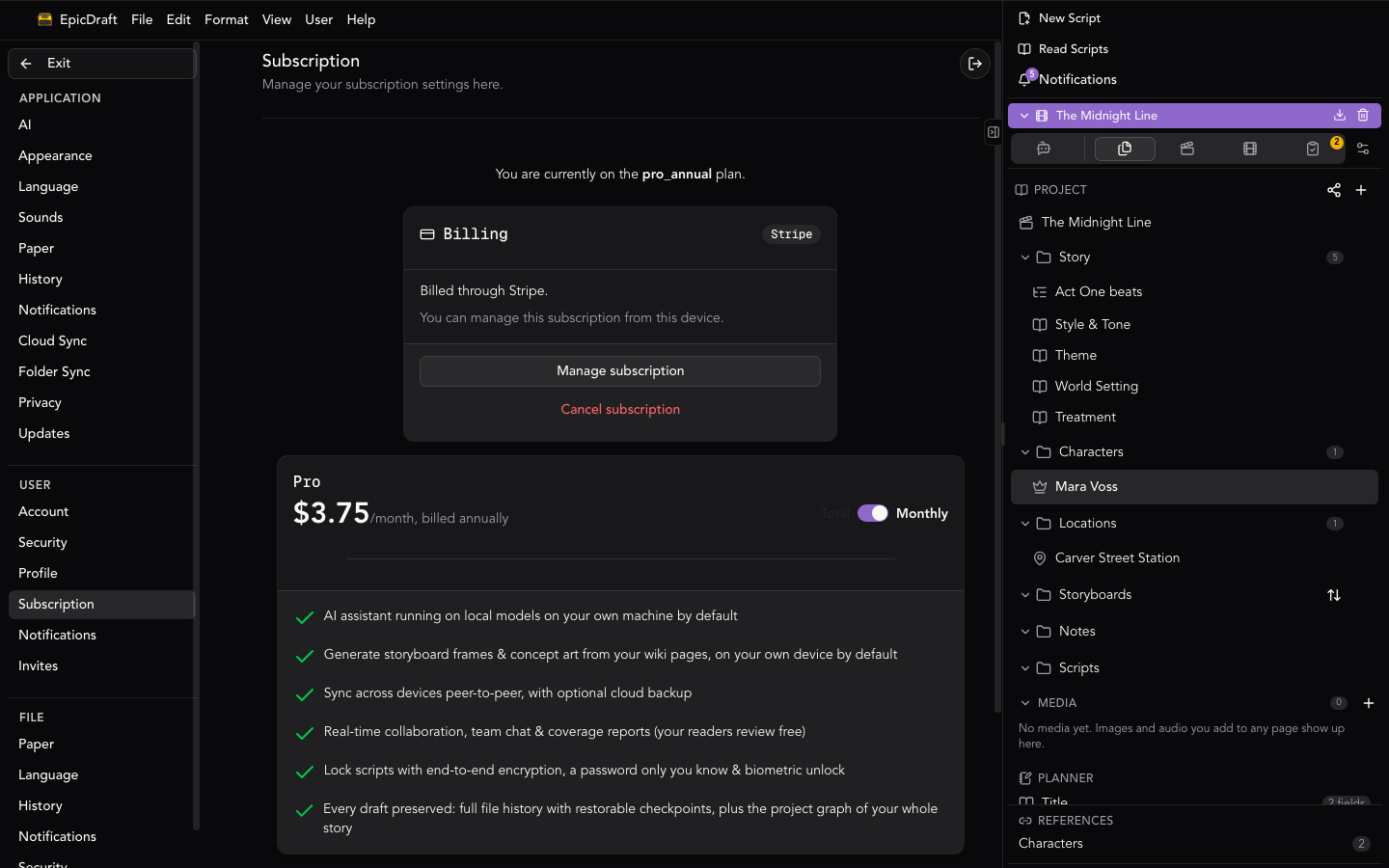
A subscription is managed on the rail it was bought on — a plan bought through the App Store is changed or canceled through the App Store, and likewise for Google Play and Stripe. The Subscription page's Billing card names the store that owns your subscription and whether this device can manage it.
Lifetime and Cloud Service
Pro Lifetime is a one-time purchase: a permanent license to the app and every offline Pro feature (including AI and peer-to-peer sync between your own devices), plus 5 years of our Cloud Service subscription included from the date of purchase.
Cloud Service covers the server-backed features: cloud backup and sync, creating new team invites, and coverage submissions. After the included 5 years, you can renew it — currently $12/year on the web, or the price shown in your app store — from Settings → Account → Subscription. The Subscription page shows how long your included Cloud Service runs.
If your Cloud Service lapses, nothing you own goes away: your scripts stay on your devices, keep syncing between them peer-to-peer, AI keeps working, and collaborators who already have access keep it (as do teams you were invited to — the owner's plan covers those). Only cloud backup, creating new invites, and coverage submissions pause until you renew.
Account settings
Settings → Account is one page, with tabs for the longer forms. Signed out, it only offers Sign in and Create free account. Signed in, the Account tab shows these cards:
- Profile — your name and email. Edit your public profile opens the writer profile and handle (Profile).
- Subscription — your plan, who bills it and when it renews or ends, and Manage subscription. Plans and billing opens the Subscription tab, where you change plans. On a free plan the link reads See Pro plans.
- Cloud Service — on a Pro Lifetime plan, how long it runs.
- Password — change your password.
- Sign Out and Delete Account.
The other tabs are Profile, Subscription, Security (Security & App Lock), Invites — invitations to collaborate on other people's scripts — and Reading Exchange, where it's on. On a phone the same facts are a list, starting with a card that shows your avatar, name, email and plan.
Restore Previous Purchases
On the iOS, Android and Mac App Store builds the Subscription card has Restore Previous Purchases. It asks the store for what your store account has bought and applies it to this account — use it after reinstalling, or on a new device. It isn't shown on the web or in the direct desktop downloads, where there's nothing to restore, and it needs you to be signed in.
Signing out
Sign Out checks first, wherever you press it: on the Account tab, in the User menu or in the phone menu. If a project has changes the cloud hasn't received yet, it asks: Some changes haven't synced. Those changes stay on this device only until you sign in again. Choose Stay signed in to let them finish, or Sign Out to go ahead. When everything has reached the cloud, it signs out without asking. The Sign out button on the lock screen signs out straight away (Security & App Lock). See File Sync.
Deleting your account
You can delete your account at any time from the Account settings — deletion is never blocked, even mid-subscription:
- Stripe renewals are canceled for you as part of deletion.
- Apple and Google subscriptions must be canceled in the store — the delete dialog says so and links you there.
Resetting your password
If you forget your password, use the Forgot password link on the sign-in screen to receive a reset email.