Submissions
Submissions let you get coverage — structured reader feedback — on a script.
- Desktop — open the file panel and pick the Review tab; Submissions is one of its collapsible sections.
- Mobile — open the drawer, then Collaboration → Submissions.
Submitting a script (creating reader links) requires an active Cloud Service. Writing coverage on someone else's link never does — readers are covered by the script owner's plan. If your Cloud Service lapses you can still view coverage you've received and revoke links.
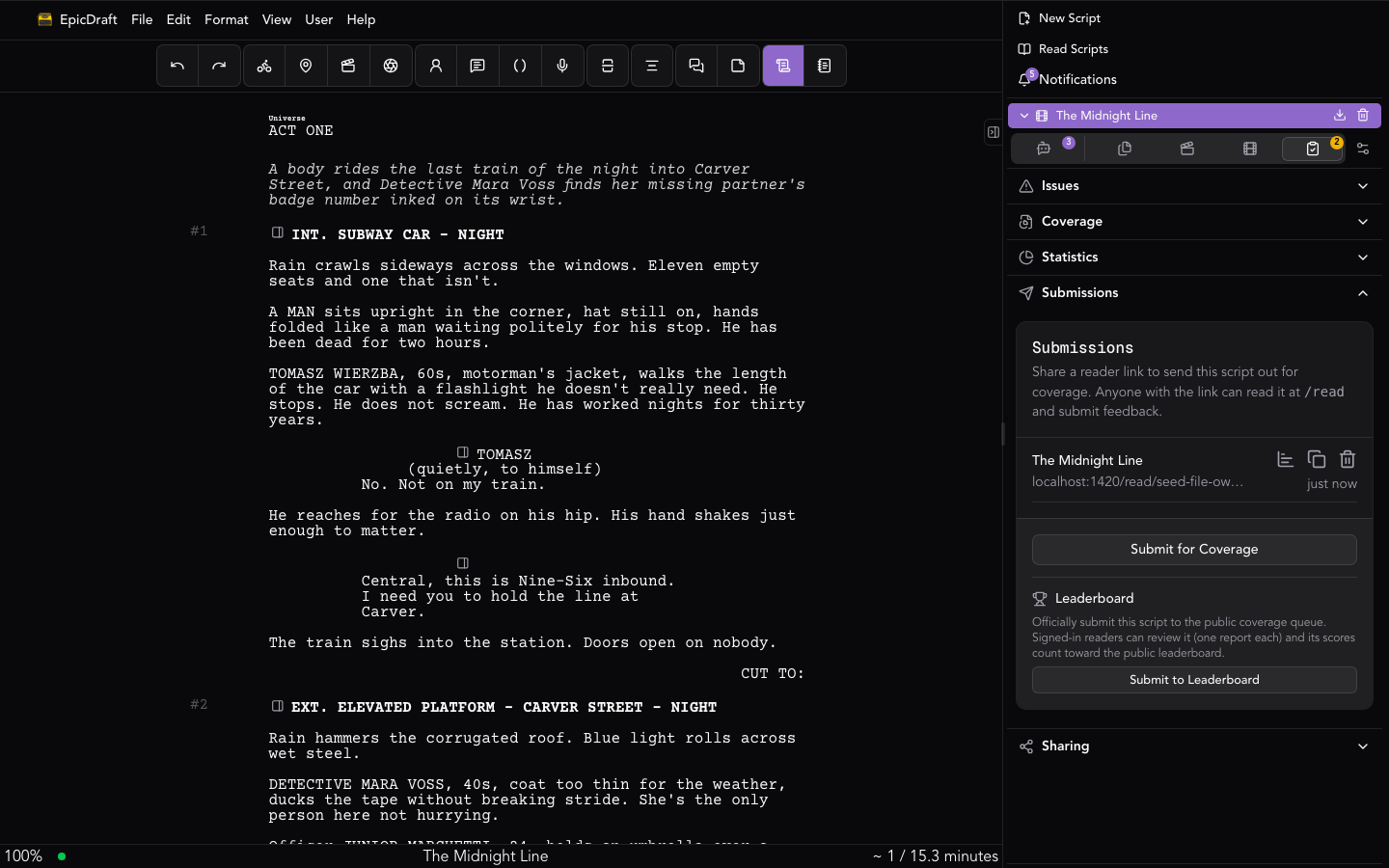
Submit for coverage
The Submit for Coverage button reuses your unlimited Reader link — creating it on first use — and copies it to your clipboard. Send it to anyone you'd like coverage from. They open it in the Script Reader, read your script, and submit a coverage report that comes back to you in Coverage.
Reader links are unlimited and never expire, so you can share the same link widely. The reader links list shows each link with its created time and per-link actions: View coverage, Copy link, and Revoke — anyone holding a revoked link loses access.