Coverage
Coverage is structured feedback on a screenplay — the kind a reader or development exec writes up. In EpicDraft, coverage arrives from two directions: readers, via the reader links you share, and AI, generated on demand from the current draft. Both roll up in the Review tab's Coverage section.
The coverage report
A reader completes a Screenplay Coverage Report in the Script Reader with:
- Your name and email (or it's attributed to your profile if signed in).
- An Overall Recommendation.
- A rating out of 10 for each category — Premise, Plot, Character, Dialogue, and Pacing — each with Feedback (strengths and weaknesses), Private Notes, and Comments.
Each score maps to a verdict: Recommend, Consider, or Pass. One rule does it everywhere — reader coverage, AI coverage, profiles and the leaderboard: Recommend at 7.5 out of 10 or higher, Consider from 4 up to 7.5, and Pass below 4. The same score reads the same verdict from a reader and from the AI.
AI coverage
The Review tab's Coverage section can also generate an AI coverage report from the current draft — a logline, a synopsis, scores, strengths, weaknesses, and suggested revisions — with Generate, Regenerate, and Stop controls. Very long scripts are truncated to fit the report's length limit. AI coverage requires AI.
- Where the script goes — coverage reads the whole script, so before it runs the panel says who receives it. It stays on this device with an on-device model or a local runner such as Ollama on this computer. Otherwise it names the provider you've chosen, or the other device (one of yours, or one a collaborator is sharing) that will read it.
- It runs in the background. You can keep writing or move around the app while it works. The AI is working… Stop notice stays up, and Stop works from anywhere.
- Sections arrive as they're ready — the verdict, the scores, then strengths and weaknesses — so you can read while the rest is written.
- Your saved report stays. It remains on screen, dimmed, until the new one is complete. Stopping a run, or a run that fails, throws away only that run; the saved report stays as it was.
The in-app summary
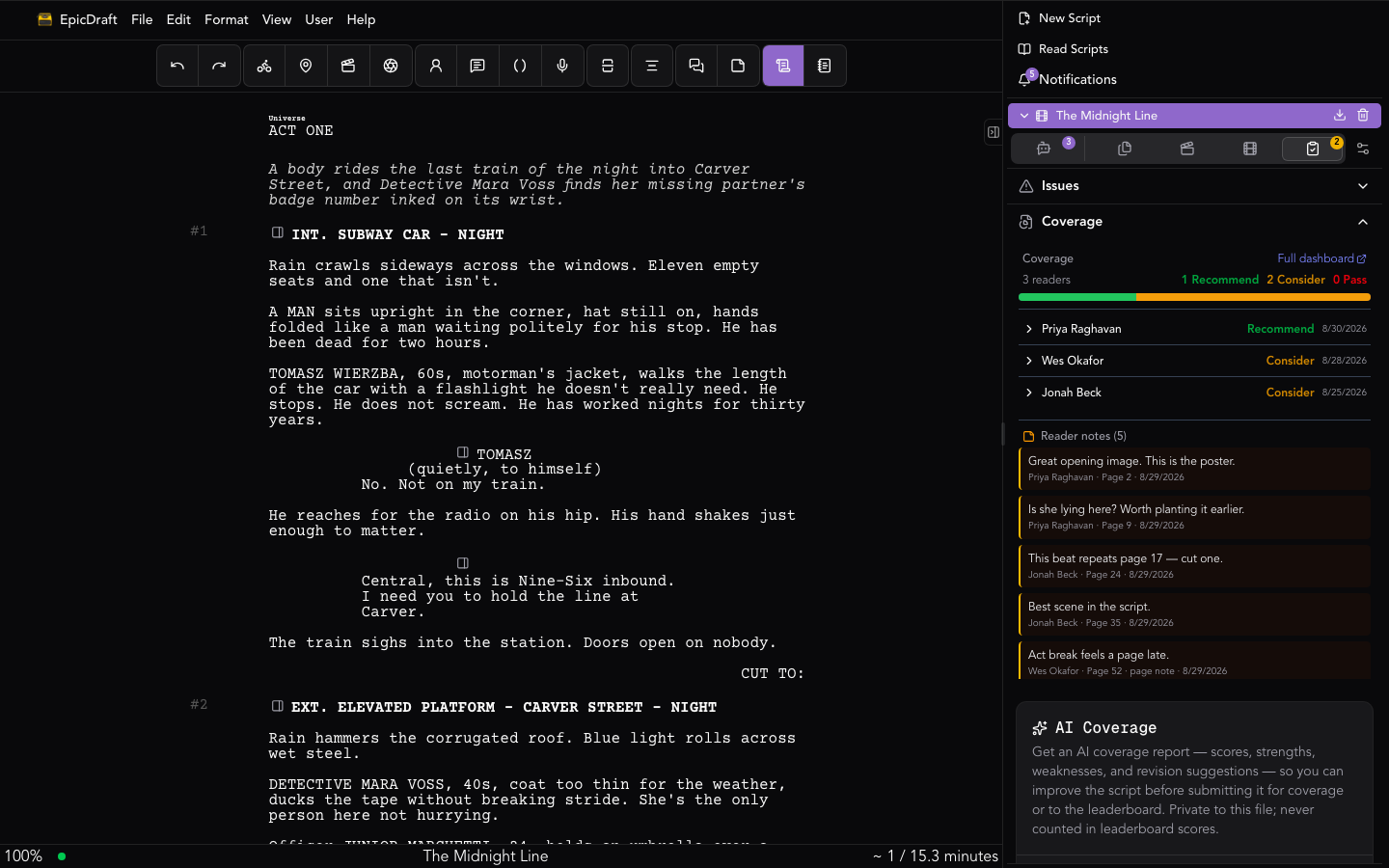
Open the Review tab's Coverage section with the script open for a summary of everything you've received:
- Verdict counts — how many readers said Recommend, Consider, or Pass. Choose one to show only those readers.
- Average category scores across all reports, out of 10.
- Average completion — how far readers got, and how many reading sessions that is.
- Readers — each with the date, how much of the script they read, and their verdict. Choose a reader to see their scores, their feedback and the notes they sent you, with the page each was left on.
Notes are the reader's while they read: at the end of a read, they review what they wrote and choose which notes to send you. What arrives is the feedback they meant for you, not their thinking-out-loud — see Script Reader.
Opening coverage from a link
A link to /coverage/ followed by the script's id opens EpicDraft on that script's Coverage, using the account you are already signed in with. If you're signed out, you sign in first and land in the same place.
Reading Exchange
If a script of yours is listed on the Reading Exchange, its numbers appear under the readers: how many offers were accepted, passed or finished, how far exchange readers got, and each reader by their exchange alias. You never see who they are.
Getting coverage
To collect coverage on your own script, share it from Submissions with a reader link.
Set the script's content rating in Sharing while you're there. A script you leave unrated is treated as adult material, and every reader is asked to confirm their age before the first page.