File History
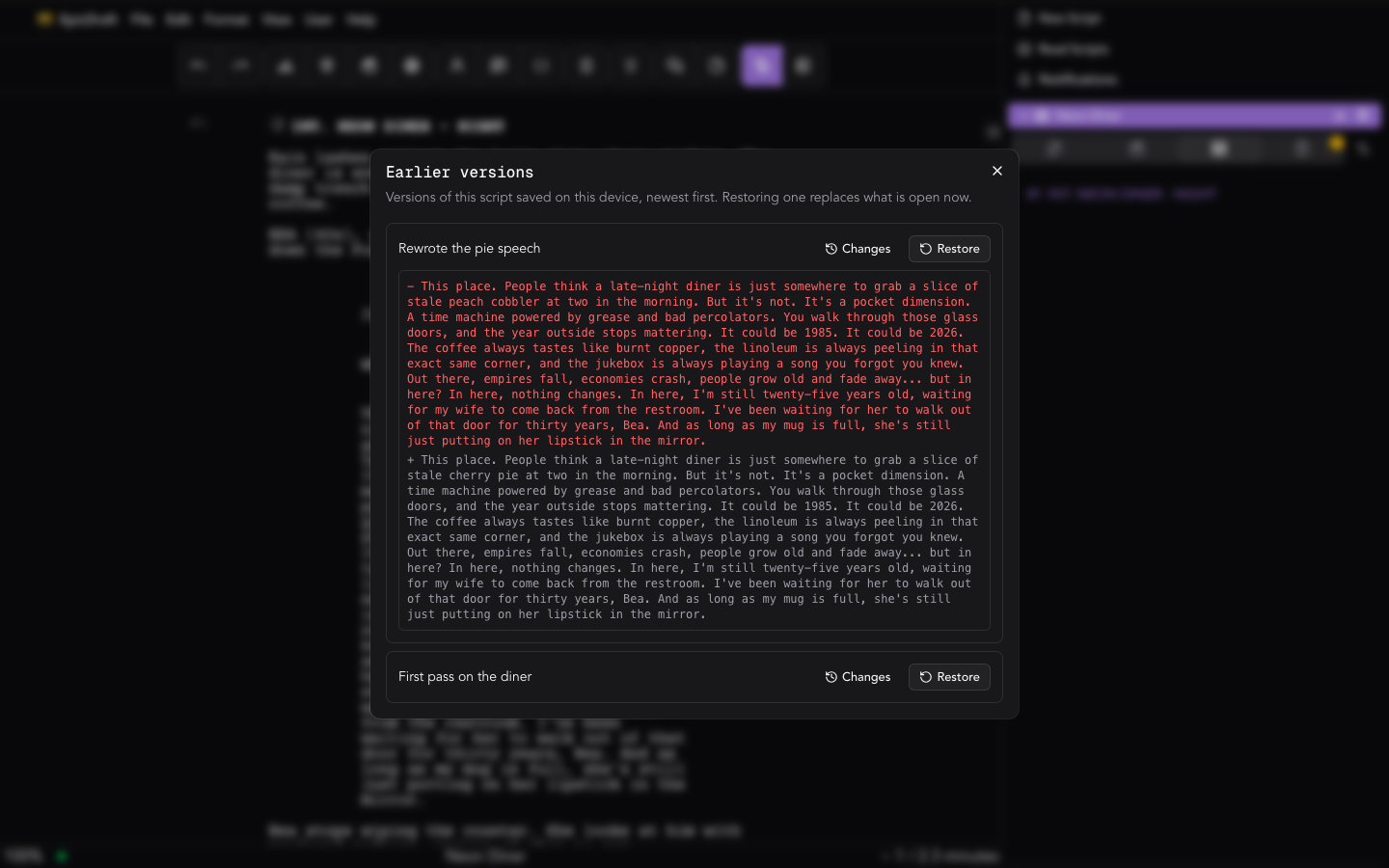
File ▸ History… opens the version history. On mobile, it's a History screen in the drawer's Document group.
What a version is
A version is a snapshot of the whole project — the screenplay, title metadata, story fields, and Library pages together. Restoring one brings all of it back, not just the script text.
When versions are saved
Versions are saved automatically:
- Periodically while you write — configurable in Settings → History → Application default: every N changes, every N minutes, or whichever comes first. "Changes" counts saved edits, not keystrokes. These versions are titled Saved while you wrote.
- Before an AI run changes anything — so there is always a way back. These are labelled Before the assistant.
- Before a restore — see Restoring a version.
Where history lives
Version history is stored on your device — never on the server. It can sync device-to-device between your own devices and with collaborators, but the server never holds it.
The version list
Versions are listed newest first. Each row shows when it was saved (for example, "Today, 5:12 PM") and what made it: Periodic, Before the assistant or Before restore. On shared files there is also an author filter.
Choose Changes on a row to compare it with what is open now. On a touch screen the whole row opens the comparison, and Restore sits below it.
Restoring a version
Restoring replaces work, so it is done in three steps:
-
Restore opens a confirmation that names the version and lists exactly what it replaces:
- the script (with how many scenes it has now), and the title page, story notes and chat;
- for a whole-project version, the pages go back to how they were then, and pages added since that version are removed. The project name goes back too if it has changed;
- a version from a shared file's history puts back the script instead of every page. It also rewrites the project's other scripts it contains and brings back pages deleted since as empty pages. Other pages stay as they are.
Media files always stay as they are.
-
When you confirm, EpicDraft first saves what is open as a Before restore version, then restores. If a restore fails, the project is left as it was. In the rare case that it stops partway, the message tells you to restore the Before restore version.
-
A message offers Undo for a few seconds, and the same Undo sits above the list while it is open. It puts the project back as it was.
The Before restore row stays in the list, so you can go back later too — restore it like any other version.
Restoring is an edit like any other, so it syncs to your other devices and collaborators.
Undo my last edits
Undo my last edits rolls back your own recent work on a shared file and keeps everyone else's. If a collaborator has changed the same lines since, it refuses rather than guesses. It saves a version first, titled Before undoing your last edits, so it can be undone the same way as a restore.
Read-only projects
On a read-only project, such as a script shared with you as a reader, you can open earlier versions and compare them. You can't restore one.
Pro
Browsing and restoring versions is a Pro feature — but versions keep being recorded for everyone. Upgrading later unlocks the file's whole past, and a lapse never silently stops the safety net.
Settings
- Settings → History → Application default — the app-wide cadence.
- Settings → History → This project — a per-file override, plus a readout of how much disk this file's history uses.
The .zip project bundle is the portable export; history is the local memory.