Story Modes
EpicDraft writes more than feature screenplays. A script's format — its story mode — changes how elements are laid out, what the linter checks, and which tools appear.
Pick a format when creating a script in the New Script dialog, or change it any time in Settings → Paper → This project → Script Format. Changing the format is non-destructive — your text stays put and re-renders in the new layout — and the format travels with the .sp file, so the script looks the same wherever it opens. On first run, EpicDraft offers a sample script for each mode so you can see one in action.
The six modes
Narrative
The baseline feature-screenplay format — standard Hollywood layout, the way every other page of this manual assumes.
Television
Episodic structure: numbered acts, bold underlined scene headings, CONTINUED markers across page breaks, and a cast list under every scene heading — see Cast lists below.
Stageplay
Theatrical layout: dialogue runs the full width of the text block, character cues are centered, parentheticals indent further, and acts and scenes are numbered. Offers the cast list element as well.
Documentary
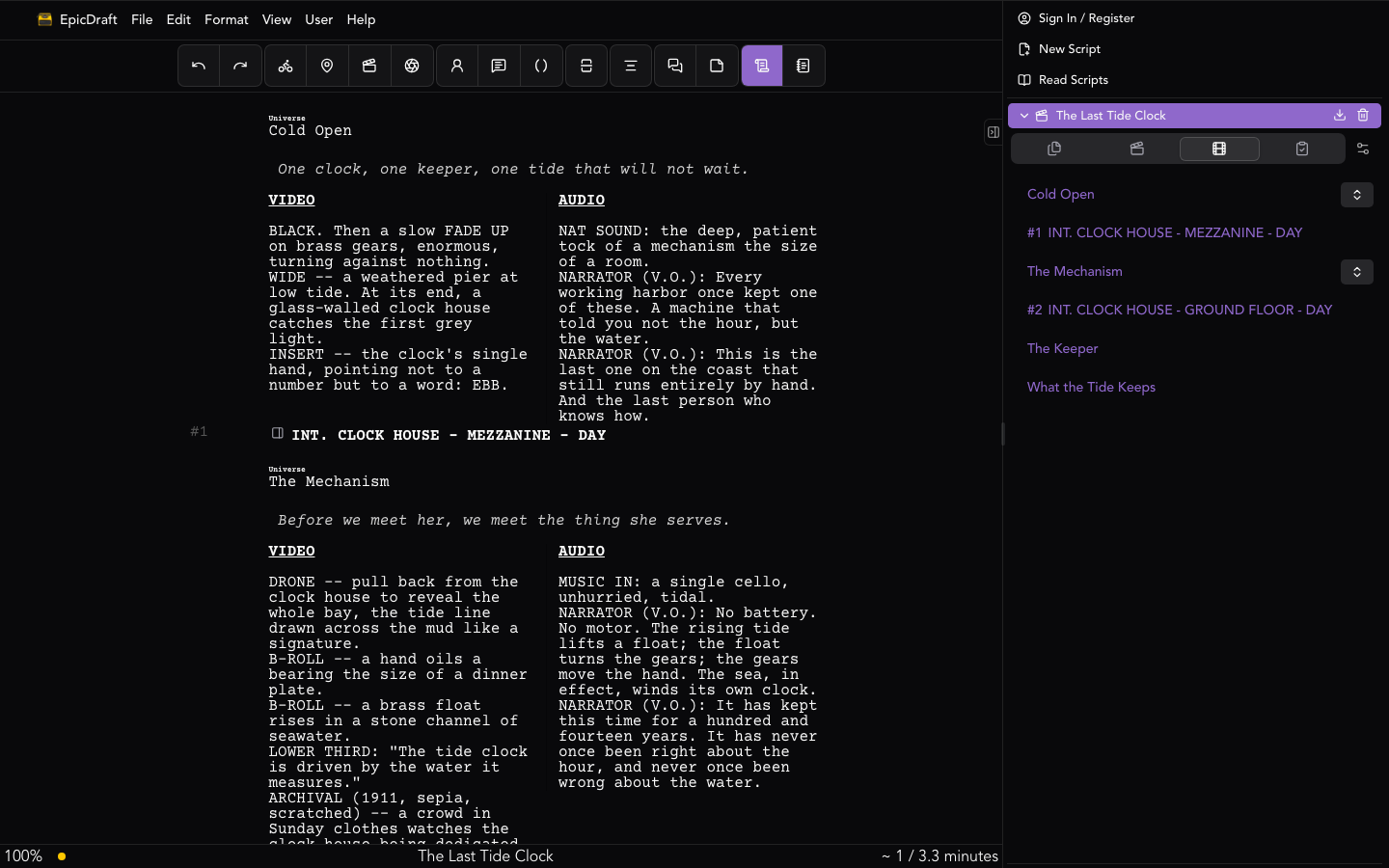
Single-column A/V — picture and sound interleaved top to bottom, in the order the cut plays them. That is how most documentary scripts are written now: shots are action lines, narration sits under a NARRATOR (V.O.) cue, interview bites under the speaker's, and production sound rides its own prefixed line (NAT SOUND:, MUSIC:, LOWER THIRD:). A cue's position is its timing, so nothing has to line up across a gutter to be read.
If your production still wants the classic grid, two- or three-column A/V — VIDEO / AUDIO, with an optional TIME column — is still here: Documentary mode keeps the column controls on, so Format ▸ Columns puts any line in a column. It is built on the same machinery as dual dialogue, and column blocks split cleanly across printed pages, reprinting their headers on the continuation. Any other format can switch the controls on per file in Script Format settings.
Ads and Content
Short-form scripts for commercials and social video:
- Cue tagging — VO, SFX, MUSIC, SUPER, CTA, and LEGAL.
- A target length — from 6 seconds to 2 minutes, or untimed — with a live duration readout in the status bar (like
0:24 / 0:30) that turns red when you're over budget. - Wider dialogue for straight-through VO reads.
Game
Branching stories: choices, variables, and a playable in-app preview. See Game Authoring for the full tour.
Cast lists
A cast list is the scene's characters in parentheses directly under its heading — (ROSS, RACHEL, CHANDLER) — the multi-camera sitcom convention, and the same element Final Draft calls Cast List. Television and stageplay scripts offer it under Format ▸ Cast List and in the element toolbar.
Television scripts have Automatic cast lists on by default; a stageplay turns them on in Settings → Paper → This project → Script Format. With it on, every scene heading gets one, kept in step with the character cues as you write: a new speaker in the scene appears in the list, a cue you retype to action drops out. A list you edit by hand is yours from then on and is never rewritten; the floating toolbar's Regenerate cast list hands it back. Turning the switch off removes the generated lists and leaves the ones you edited — a single-camera teleplay, which doesn't use them, can switch them off per file.
A cast list never separates from its scene heading across a page break, and never ends a page. In .fountain and .sp files it is written as !(NAMES) under a [[@data {"cast_list":…}]] note, so any other Fountain reader shows the line as it prints.
Columns
Format ▸ Columns assigns the current element to a column — or to No Column to pull it back out. The same controls sit on the element toolbar, and each column has a shortcut: ⌥⌘1, ⌥⌘2, ⌥⌘3 for the first, second and third column and ⌥⌘0 for no column (Alt+Ctrl on Windows and Linux). A Multi-column layout switch with a 2/3 column count lives in the Script Format settings; documentary and ads default to columns on. A document that already has column blocks keeps rendering them regardless of the switch, so nothing you've laid out ever silently collapses.
A run of assigned elements reads as one side-by-side block: each column stacks its cues top to bottom, and Return inside a column adds the next cue to that same column, spaced by a blank line like any other paragraph. Assigning the line right after a block joins that block. To start a new block — say, to line a fresh shot up with the sound that goes with it — leave an unassigned blank line between the two, or an unassigned element such as a scene heading, which prints full width and ends the block. In the .sp file the same rules read as: one blank line between two cues is spacing inside a column; two blank lines start a new block.
Craft checks
Each mode brings its own warnings to the Review tab's Issues list — act structure in television, screen-style transitions in stageplay, duration and call-to-action in ads, and so on. See Statistics for the full list.