Script Reader
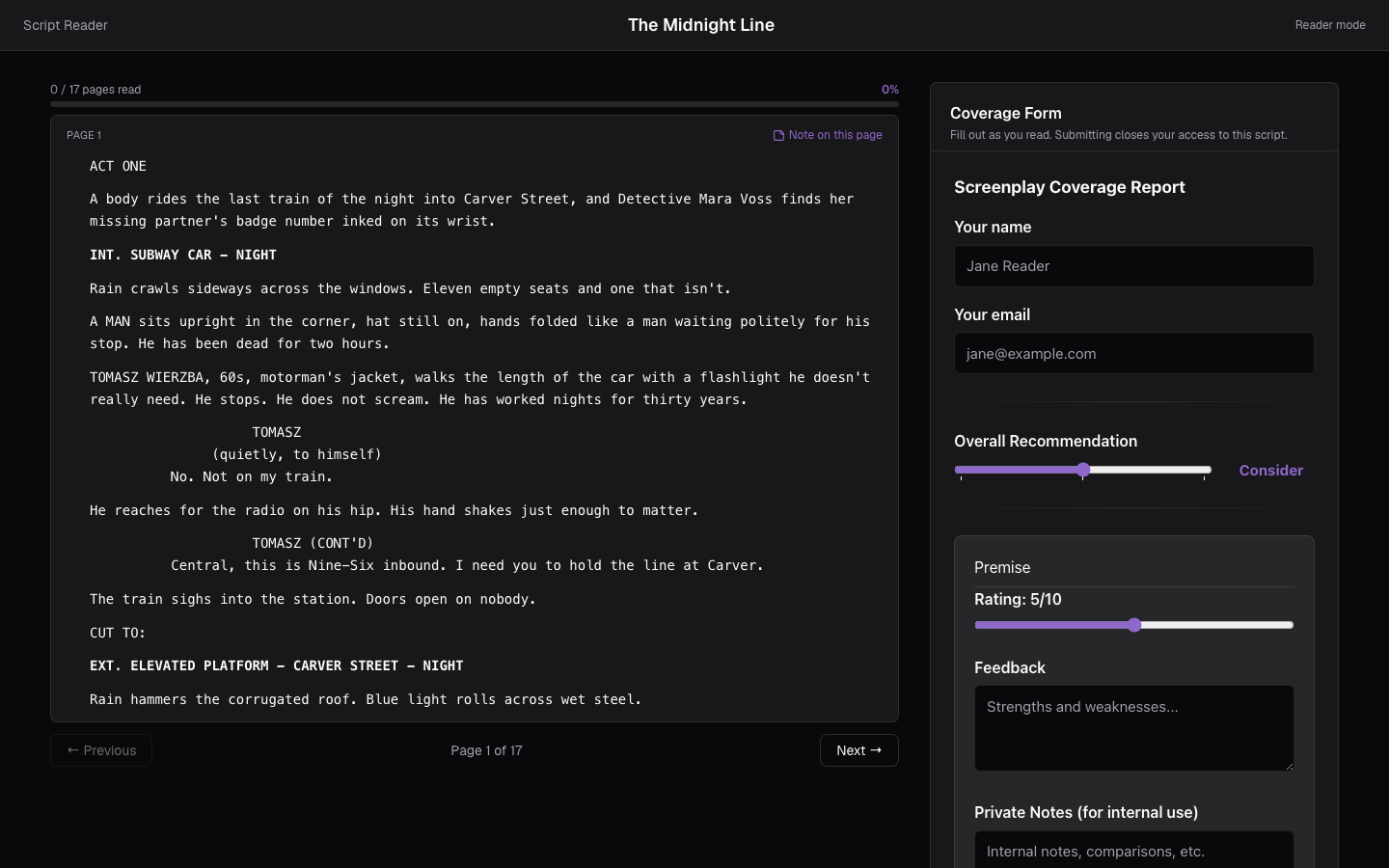
The Script Reader is a focused, read-only view for reading scripts that have been shared with you and giving feedback. It opens at a link like /read/(script)?t=(token) — the kind of Reader link generated from Sharing or Submissions.
Opening a script
- Open a Reader link directly to start reading that script.
- Or sign in on the reader page to see Your Scripts — everything shared with you for reading.
If a script is password protected, you'll be asked for the password before any pages are shown.
Confirming your age
Scripts rated R or NC-17, and scripts the author hasn't rated at all, ask you to confirm you're 18 or older before the first page is shown. Unrated counts because it's the default: a script with adult material in it looks exactly like one without until the author says otherwise.
Your date of birth is kept on your device and is never sent to us or to the author. You're asked once — a later script with the same requirement doesn't ask again.
Authors set the rating in Sharing for that script; see Sharing.
Reading, in three steps
The reader is a sequence rather than a split screen, so reading and reporting don't compete for the same screen:
- Read — the script, full width, one scrollbar. Turning the page starts you at the top of the new one.
- Your notes — everything you wrote down, and what the author gets to see. This step appears only if you took notes.
- Coverage — the report, once you've finished reading.
You can move back and forth between the steps at any point; nothing is a one-way door until you submit.
Reading
Scripts are presented page by page for comfortable reading. Your read progress — "n of m pages read" — is reported to the author, who is notified when you start and when you finish. The reader is designed for reviewing rather than copying, so it isn't a way to export someone else's script — use it to read and assess.
While reading, you can leave notes — on a page, or on a specific line.
When you read a script inside the app, the people editing it see you under Reading in their connection indicator, by name. You are listed apart from the editors, and have no cursor on the page.
Choosing what the author sees
Notes you take while reading are yours until you send them. Nothing reaches the author while you're still reading.
At the end of the read, Your notes lists every note you wrote, in page order, with the line it's pinned to. Every note starts held back — tap Send to author on the ones you want the writer to read, and the note is highlighted to show it's going. The counter above the list tells you how many that is. Send all and Hide all set them in one go.
Nothing is sent by default, deliberately: notes get written while you're thinking out loud, and you decide afterwards which of them were meant for the writer. A note you never send is one the author never sees.
Your choices are saved when you submit your coverage report, and only the notes you sent appear in the author's Coverage.
Requesting access
If you open a read link you don't have access to, tap Request read access and add a short note. The owner gets the request in their inbox and can approve or deny it; if approved, the read view loads for you automatically. See Notifications & Mentions.
Submitting coverage
The coverage form is the last step, reached with Finish & write coverage (or Finish & review notes, if you took any) — from the last page, or from the toolbar at any point if you want to stop early. See Coverage for what a report includes.
Submitting closes your access to the script. After you submit, the pages can no longer be read from that link, and a listed script shows Access closed — ask the author for a new invite to read again. Finish reading and note-taking before you submit.